

Random Posting vs Social Lead Web | iHustle Media Group
Random Posting vs Social Lead Web: Why Attention Alone Is Not Enough Anymore
Most businesses are not failing because they refuse to post.
They are failing because posting has become the whole strategy.
That is a problem.
A local business owner posts a before and after photo. It gets a few likes.
A consultant shares a strong business lesson. A few people agree.
A med spa posts a client transformation. People say it looks great.
A contractor shares a jobsite clip. Someone comments, “Nice work.”
A coach records a short video. A few people save it.
Then what?
That is the question most businesses are not asking deeply enough.
What happens after someone notices you?
What happens after they comment?
What happens after they click your profile?
What happens after they send a message?
What happens after they think, “I might need this”?
For many businesses, the honest answer is: nothing consistent.
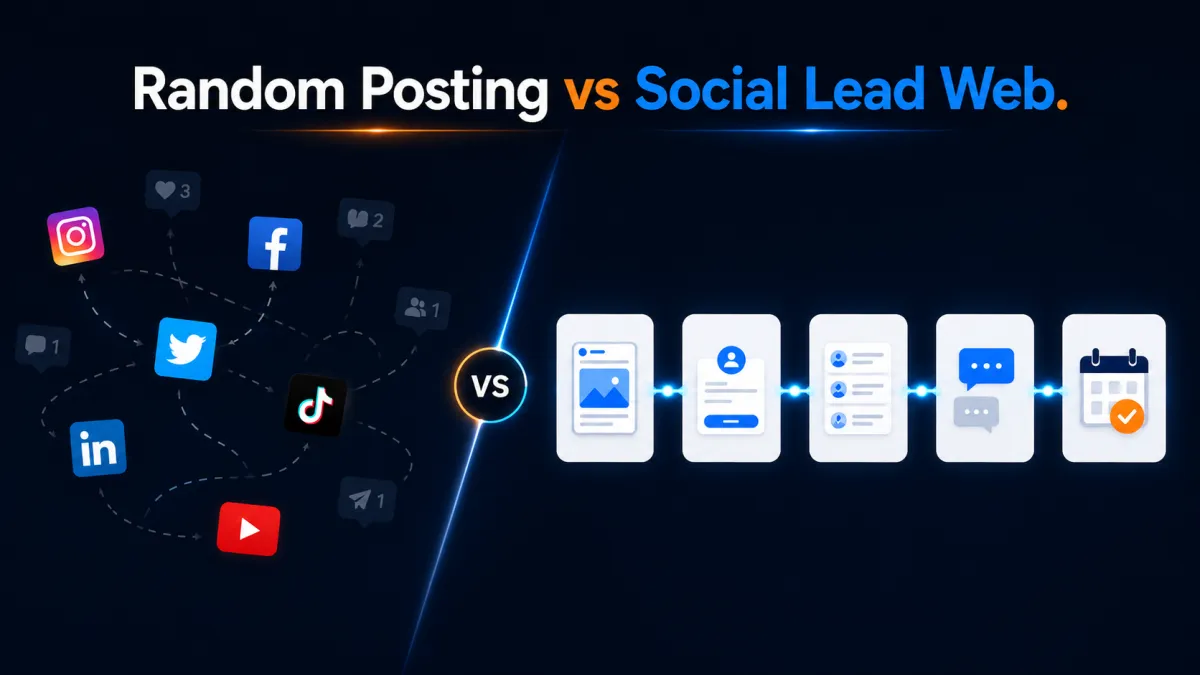
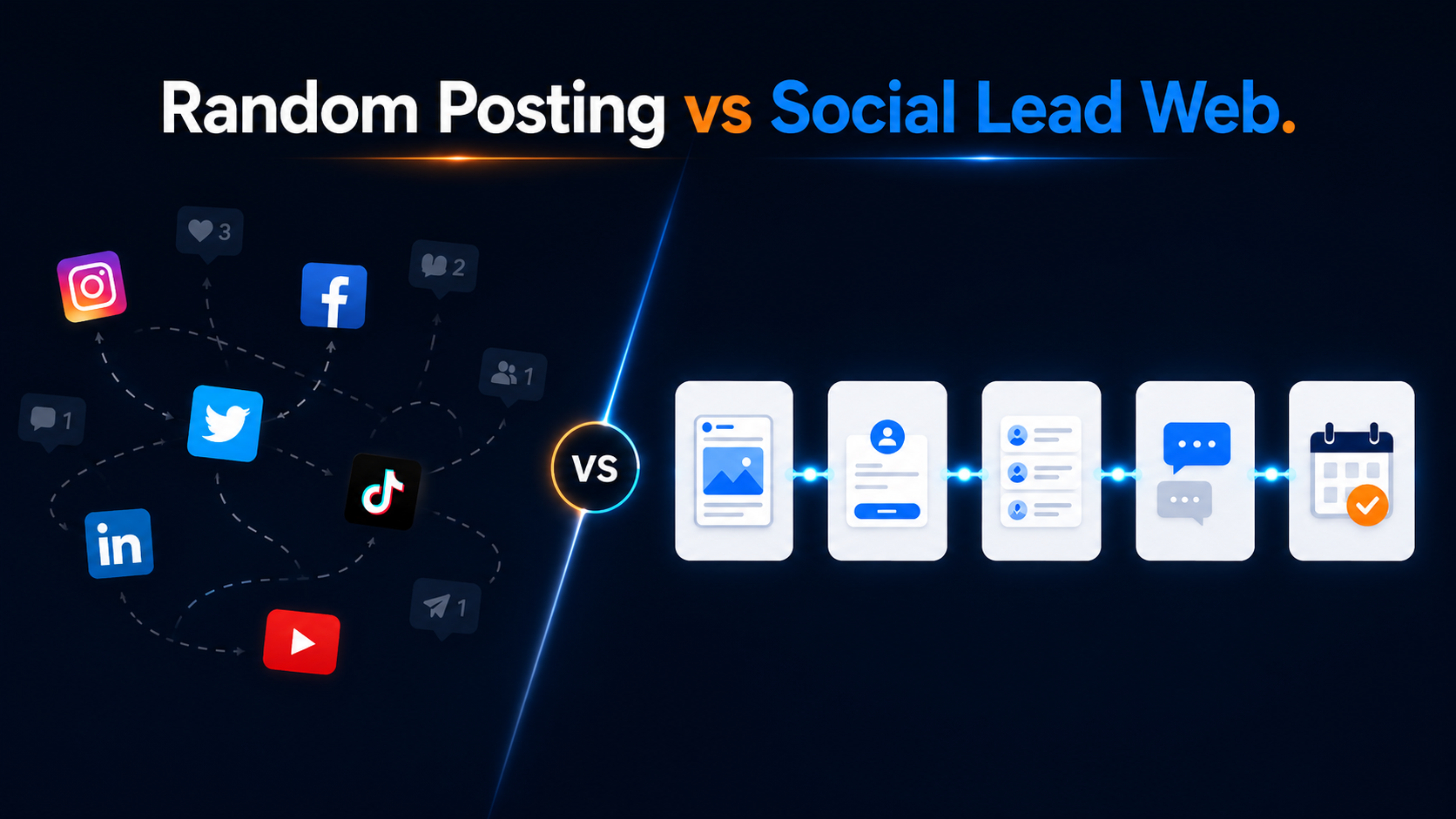
That is the difference between random posting and a Social Lead Web.
Random posting creates moments of attention.
A Social Lead Web creates a path from attention to lead capture, follow-up, and booked opportunity.
And in today’s market, that path matters more than ever.
HubSpot’s 2026 social media strategy guidance points to brands operating across multiple channels and moving toward more strategic community and channel diversification, not just broad posting for reach. Their research notes that many brands use five or more marketing channels, and that moving toward niche communities has become an effective diversification strategy for many marketers. The takeaway for small businesses is simple: social media cannot sit by itself anymore. It has to connect to a larger relationship and conversion system.
The Drum also reported that reach is losing ground to deeper audience relationships, with marketers paying more attention to depth metrics as audiences look for stronger connections with the content they consume. That lines up with what many business owners are feeling: views are nice, but relationships are what create opportunity.
So the goal is no longer just “post more.”
The goal is to build the path behind the post.
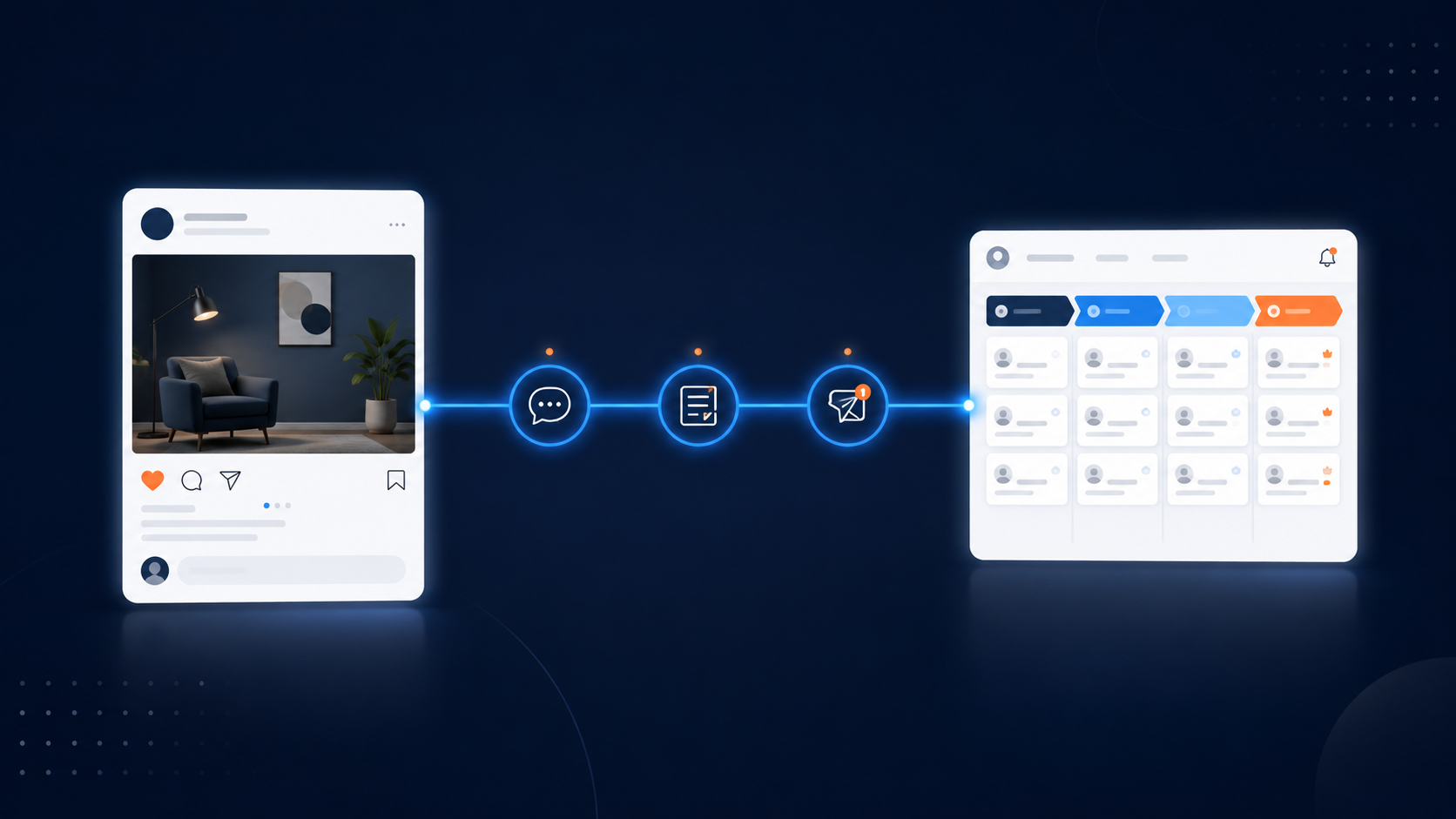
What Random Posting Looks Like
Random posting usually does not feel random to the business owner.
It feels productive.
You are creating content.
You are showing up.
You are staying active.
You are doing what people told you to do.
But random posting has a few signs.
There is no clear weekly campaign.
There is no main offer being supported.
There is no consistent CTA.
There is no lead capture point.
There is no CRM connection.
There is no automated response.
There is no follow-up sequence.
There is no weekly review of what created actual opportunity.
So even when the content performs, the business does not know what to do with the attention.
This is why a post can get engagement but produce no pipeline.
It is also why business owners start blaming the platform.
“The algorithm is bad.”
“Nobody sees my stuff.”
“People do not buy from social media.”
“Posting does not work for my industry.”
Sometimes those things may feel true.
But often, the bigger issue is this:
The content created a spark, but there was no system to catch it.
That is what we need to fix.
What A Social Lead Web Looks Like
A Social Lead Web is the connected system that turns social media attention into real business opportunities.
It is not just content.
It is not just automation.
It is not just a form.
It is the connection between all of those pieces.
Here is the simple version:
Content creates interest.
Engagement creates a signal.
CTA gives direction.
DM or landing page continues the conversation.
Lead capture collects the contact.
CRM organizes the opportunity.
Automation responds and follows up.
Human conversation moves the right person forward.
That is a Social Lead Web.
It does not remove the human side of business.
It protects it.
Because when your business grows, you cannot rely on memory, scattered inboxes, and “I’ll get back to them later” as your follow-up strategy.
HubSpot describes sales automation as software that handles repetitive sales tasks like lead routing, email follow-up sequences, pipeline updates, and activity logging. That is exactly the kind of structure small businesses need when social media starts generating attention.
The point is not to automate everything.
The point is to automate the things that protect the relationship.
You still bring the expertise.
You still bring the service.
You still bring the local trust.
You still bring the human connection.
The system simply makes sure the opportunity does not disappear before you can serve the person.
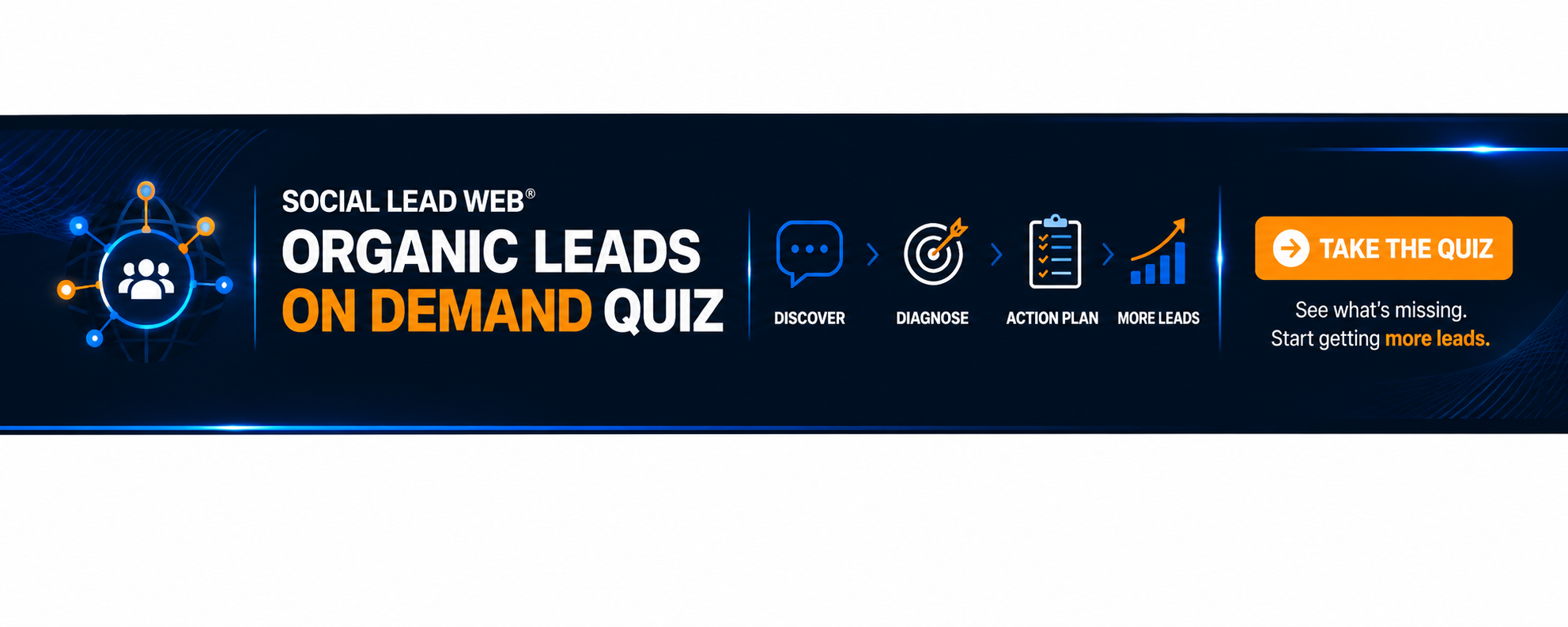
Why Attention Fades Without A Next Step
Attention has a short shelf life.
Someone may be interested in your service today, but tomorrow they are distracted.
Someone may comment on your post now, but later they forget why they engaged.
Someone may watch your video and think, “I should reach out,” but if there is no simple next step, they move on.
That is not because they are bad prospects.
It is because you did not give the attention a place to go.
This is why every strategic post needs a job.
Not every post needs to sell.
But every strategic post should know what role it plays.
Some posts build trust.
Some posts educate.
Some posts show proof.
Some posts create conversation.
Some posts invite action.
Some posts move people to a quiz, guide, booking page, form, or diagnostic.
The mistake is creating content with no next step and then wondering why nobody takes the next step.
If you want people to move, you have to build the bridge.
Meta’s own best practices for lead ads recommend keeping instant forms simple and asking only for the information needed to support the business goal. That is a useful principle beyond paid ads too. When someone is interested, make the action simple. Do not make them work harder than necessary to raise their hand.
The same idea applies to organic content.
If the person sees your post and thinks, “I need this,” the next step should be easy.
Comment a keyword.
Take the quiz.
Download the guide.
Request a quote.
Book a call.
Send a photo.
Fill out a short form.
Join the list.
The simpler the path, the more likely interest becomes action.
Step 1: Pick The Purpose Before You Post
The first step in building a Social Lead Web is deciding what your content is supposed to accomplish.
This sounds basic, but it changes everything.
Most random posting starts with the question:
“What should I post today?”
Better marketing starts with:
“What action are we trying to create this week?”
For a local business, the answer might be:
We want more quote requests for seasonal maintenance.
We want more homeowners to book inspections.
We want more people to download our local buyer guide.
We want more past customers to leave reviews.
We want more people to ask about a specific service.
For an expert brand, the answer might be:
We want more people to take the scorecard.
We want more qualified prospects to book the diagnostic.
We want more newsletter subscribers.
We want more people to join the workshop.
We want more leads around one specific offer.
Once you know the desired action, content gets easier.
Now you are not posting randomly.
You are creating content that supports one movement.
For example, a contractor might spend the week educating homeowners on signs their gutters need attention before storm season.
A med spa might spend the week explaining how to prepare for a seasonal skin treatment.
A consultant might spend the week diagnosing why content is not turning into clients.
A speaker might spend the week showing why every talk needs a backend system.
One week.
One theme.
One CTA.
That is already better than random posting.
Step 2: Create A Clear CTA
The CTA is the bridge between attention and action.
Without it, people may enjoy your content and still do nothing.
A good CTA should be simple, specific, and connected to the content.
Bad CTA:
“Let me know what you think.”
Better CTA:
“Comment CHECKLIST and I’ll send you the homeowner prep guide.”
Bad CTA:
“Visit our website.”
Better CTA:
“Take the Social Lead Web Quiz and find out where your content is leaking leads.”
Bad CTA:
“DM me for more info.”
Better CTA:
“DM the word QUOTE and we’ll send you the quick project request form.”
The CTA should tell the interested person exactly what to do.
For iHustle Media Group content, the best CTA for this theme is usually:
Take the Social Lead Web Quiz.
That fits because the theme is about diagnosing whether the business has a real lead path behind its content.
For local business education, you can also use:
Download the Stop Losing Local Business guide.
That fits when the content is about local businesses losing customers to bigger national brands because they lack connected marketing systems.
[CTA Box: Local business owner? Download the Stop Losing Local Business guide and learn how to stop sending ready buyers to national brands.]
Step 3: Build The Lead Capture Point
Once your CTA is clear, build the place where the person takes action.
This can be simple.
A GoHighLevel form.
A quiz.
A calendar.
A landing page.
A survey.
A quote request form.
A guide opt-in.
A DM automation.
A missed-call text back.
A Google Business Profile booking link.
Google explains that Business Profile posts allow companies to share announcements, offers, updates, and event details directly with customers on Search and Maps. That means your social media and Google presence can support the same lead path instead of operating separately.
If you post about a seasonal service on Facebook, you can also create a Google Business Profile update around the same theme.
If you promote a guide on Instagram, you can mention the same guide in your Google post.
If you run a quiz campaign on LinkedIn, you can create a website banner pointing to the same quiz.
This creates consistency.
Your audience should keep seeing the same clear next step across channels.
That is how you turn scattered posting into a campaign.
[Insert Image 2: Random Posting vs Social Lead Web]
Step 4: Connect The Capture Point To Your CRM
This is where many businesses start losing leads.
Someone fills out the form, but the information sits in an inbox.
Someone sends a DM, but nobody logs it.
Someone comments, but there is no contact record.
Someone asks for pricing, but there is no pipeline stage.
Someone books a call, but there is no follow-up plan.
A CRM solves this by giving every opportunity a home.
At a minimum, your CRM should track:
Name.
Contact information.
Lead source.
What they asked for.
Current stage.
Next step.
Follow-up date.
Owner.
Start with simple pipeline stages:
New Lead
Contacted
Qualified
Booked
Follow-Up Needed
Won
Not Ready
That is enough to begin.
The point is not to build a complicated enterprise sales machine.
The point is to stop losing people because they live in random places.
A lead should not live only in your Instagram inbox.
A quote request should not live only in your email.
A referral should not live only in a text thread.
A serious opportunity should have a clear place in your system.
Step 5: Add Smart Automation
Automation should not make your business feel robotic.
It should make your business feel responsive.
Think of automation as the safety net.
It helps you respond when you are on a jobsite.
It helps you follow up when you are in meetings.
It helps you remember when the day gets busy.
It helps your team know who needs attention.
HubSpot’s lead pipeline automation documentation shows how automation can create leads, move them through stages, and trigger actions based on pipeline changes. That matters because follow-up should not depend entirely on memory.
A simple automation can do a lot.
When a form is submitted:
Send a confirmation text.
Send a confirmation email.
Notify the team.
Create a task.
Add the person to the CRM.
Tag the lead source.
Start a follow-up sequence.
When someone comments a keyword:
Send a DM.
Deliver the resource.
Ask one qualifying question.
Send the right link.
Add them to a nurture path.
When someone misses a call:
Send a text back.
Ask how you can help.
Notify the team.
Create a follow-up reminder.
None of this replaces human service.
It simply catches the opportunity faster.
Step 6: Follow Up Like A Guide, Not A Pest
Many business owners avoid follow-up because they do not want to annoy people.
That is understandable.
But good follow-up is not pestering.
Good follow-up is guidance.
If someone asked for a guide, help them use it.
If someone requested a quote, help them understand the next step.
If someone took a quiz, help them interpret the result.
If someone asked a question, help them make a better decision.
A simple follow-up sequence might look like this:
Message 1: Deliver what they requested.
Message 2: Point out the most common mistake.
Message 3: Give them a quick win.
Message 4: Invite them to the next step.
Example:
“Here is the guide you requested.”
“One mistake local businesses make is posting without a lead path.”
“Quick win: add one clear CTA to your next three posts.”
“If you want to see where your own system is leaking, take the Social Lead Web Quiz.”
Helpful.
Direct.
Not pushy.
That is how follow-up should feel.
Step 7: Review The System Every Week
The Social Lead Web gets stronger when you review it.
Once a week, ask:
Which content created engagement?
Which CTA got the most action?
Which lead source created the best conversations?
Which leads entered the CRM?
Which leads were followed up with?
Which leads booked?
Where did people drop off?
What is the one leak we need to fix this week?
Do not try to fix everything at once.
Fix one leak.
Maybe the CTA is too vague.
Maybe the form is too long.
Maybe the automation is not firing.
Maybe the CRM stage is unclear.
Maybe the follow-up message is too weak.
Maybe the content is attracting people who are not ready.
One fix per week creates momentum.
That is how the system compounds.
What This Looks Like In Practice
Let us say you are a local HVAC company.
Instead of randomly posting “Call us for AC service,” you create a weekly theme:
“Is your AC ready for the first heat wave?”
You post:
A short video with three warning signs.
A before and after repair photo.
A customer education post.
A Google Business Profile update.
A quick checklist graphic.
The CTA is:
“Comment CHECKUP and we’ll send the AC readiness checklist.”
When someone comments, the system sends the checklist.
The DM asks if they want help scheduling a checkup.
If yes, they go to a booking page.
If no, they enter a seasonal nurture sequence.
Either way, they are no longer just a random engagement.
They are now part of your lead system.
That is Social Lead Web thinking.
Now imagine you are a consultant.
Instead of randomly posting business advice, you create a weekly theme:
“Why your content is not turning into clients.”
You post:
A LinkedIn post diagnosing the issue.
A short video explaining the missing conversion path.
A carousel showing the Social Lead Web process.
A newsletter with practical steps.
A CTA to take the Ecosystem Growth Scorecard.
When someone takes the scorecard, they enter the CRM.
Based on their result, they receive follow-up.
If they are qualified, they are invited to book the AI Growth Diagnostic.
That is how authority becomes pipeline.
The Big Shift
The businesses that win are not always the businesses that post the most.
They are the businesses that connect attention to action.
Random posting says:
“I hope this gets seen.”
A Social Lead Web says:
“When this gets seen, here is what happens next.”
That is the difference.
If your business is tired of inconsistent leads, do not start by asking how to post more.
Start by asking:
What is the path behind the post?
Where does attention go?
How do we capture the signal?
How do we respond?
How do we follow up?
How do we know what worked?
That is how you move from noise to system.
And once you build the system, your content starts working harder.
Not because every post goes viral.
But because every strategic post has a job.
Social Lead Web Action Checklist
Use this checklist to turn today’s idea into action.
Campaign Clarity
[ ] Choose one theme for the week.
[ ] Choose one offer, guide, quiz, or service to promote.
[ ] Decide what action you want people to take.
[ ] Make sure every strategic post supports that action.
Content Structure
[ ] Create one educational post.
[ ] Create one proof post.
[ ] Create one short video.
[ ] Create one Google Business Profile update.
[ ] Create one CTA-driven post.
CTA Setup
[ ] Add one clear CTA to each strategic post.
[ ] Make the CTA specific.
[ ] Match the CTA to the buyer’s readiness.
[ ] Avoid sending people to a generic page when a specific page is better.
Lead Capture
[ ] Build a form, quiz, calendar, guide opt-in, or landing page.
[ ] Keep the lead capture step simple.
[ ] Ask only for the information needed to move forward.
[ ] Confirm what happens next after someone submits.
CRM Connection
[ ] Send every new lead into your CRM.
[ ] Track the source of the lead.
[ ] Use simple pipeline stages.
[ ] Assign ownership or next action.
[ ] Create a follow-up reminder.
Automation
[ ] Send an instant confirmation message.
[ ] Notify the team when a lead comes in.
[ ] Create a task for follow-up.
[ ] Add the lead to the right nurture sequence.
[ ] Make sure automation feels helpful and human.
Weekly Review
[ ] Review which posts created engagement.
[ ] Review which CTAs created action.
[ ] Review which leads entered the CRM.
[ ] Review which leads booked or requested more information.
[ ] Fix one leak before creating more content.
Social Lead Web FAQ Section
What is a Social Lead Web?
A Social Lead Web is a connected marketing system that turns social media attention into leads through content, calls to action, lead capture, CRM, automation, and follow-up.
Is this only for local businesses?
No. It works for local businesses and expert brands. Local businesses can use it to generate quote requests and bookings. Expert brands can use it to drive scorecards, consultations, workshops, and diagnostics.
Do I need to post every day?
Not necessarily. Consistency matters, but a connected system matters more. Three strategic posts with clear CTAs and follow-up can outperform daily random posts with no lead path.
What is the first step?
Start by choosing one business goal for the week and connecting your content to one clear CTA.
Can AI help with this?
Yes. AI can support faster responses, lead routing, content repurposing, follow-up reminders, and CRM workflows. The key is using AI to strengthen relationships, not replace them.